हिंदी टाइपिंग सीखें - मुफ्त में | TypingMaster Hindi
The best Hindi typing tutor for Windows — free InScript lessons, typing tests, and SSC & RRB government exam prep, all in one place.
Windows 11/10/8/7 · Only 12 MB · Free 1-week course · Download in 1-2 minutes
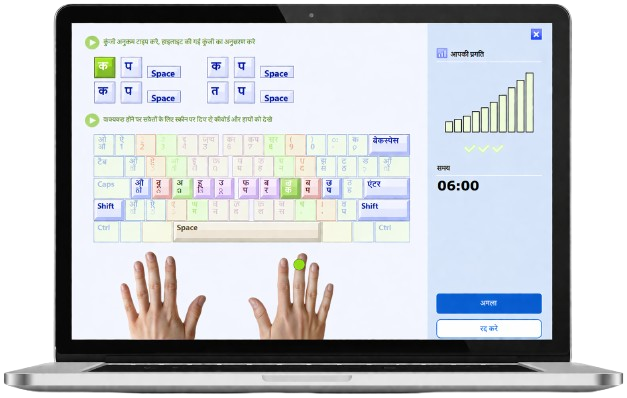
TypingMaster is a complete hindi typing tutor with free lessons, games, and practice tests for beginners and students.
Learn Devanagari InScript step-by-step - from home row to full keyboard - and achieve fast typing in Hindi.
अध्याय-आधारित हिन्दी पाठ्यक्रम जो होम रो से शुरू होकर शिफ्ट वाले अक्षरों और संयुक्त चिह्नों तक बढ़ता है।
चुने हुए हिन्दी अक्षरों और शब्दों के साथ मज़ेदार गेम-आधारित अभ्यास।
आधुनिक डार्क मोड और व्यापक कीबोर्ड अनुकूलन विकल्प।
Visual key guidance teaches correct finger placement for InScript layout - the most important Hindi typing keyboard.
Practice both English and Hindi in one software for PC. Switch layouts with Win+Space.
Real-time background widget tracks your daily typing habits and suggests targeted practice.
Download the best hindi typing tutor - free hindi typing lessons included · हिंदी टाइपिंग सीखें मुफ्त में
Download Free · मुफ्त डाउनलोड करेंWindows 11/10/8/7 · 12 MB · No credit card required
The best way to do hindi typing practice online is with real exam conditions. Set net speed, gross speed, and accuracy pass limits. Practice InScript or Remington layout and print a Hindi typing test certificate when you pass.
Full-featured Hindi typing speed test with InScript (Mangal font). Measure WPM, net speed, gross speed, and accuracy.
Detailed analytics after every test - identify weak keys and patterns in your Hindi typing.
Upon passing configured limits, print a professional Hindi typing certificate - ideal for job applications.
Create a custom Hindi typing test, export a ZIP pack, and deploy to other PCs - perfect for schools and exam centers.
Follow these steps to enable Hindi InScript keyboard on Windows and start your typing test in TypingMaster 12.
Download the free trial and install on Windows. All features are included for 7 days.
Hindi InScript is built into Windows. Enable it in Settings:
Open TypingMaster → Typing Test → click Add to create a new test:
After the test, a detailed report shows WPM, accuracy, error analysis, and difficult keys.
Configure TypingMaster 12 Premium for realistic government exam practice.
SSC CHSL Hindi टाइपिंग: 30 WPM · SSC English: 35 WPM · RRB Hindi: 25 WPM
| Exam / Post | Language | Duration | Pass Limit (Typical) | Configure in TypingMaster 12 |
|---|---|---|---|---|
| SSC CHSL (LDC / JSA / PA / SA) | English | 10 min | 35 WPM (≈10,500 KDPH) | Typing Test → Add → Time=10:00 · Gross WPM=35 · Accuracy 95% |
| SSC CHSL (LDC / JSA / PA / SA) | Hindi (Unicode) | 10 min | 30 WPM (≈9,000 KDPH) | Enable Hindi InScript → Add → Time=10:00 · Gross WPM=30 |
| SSC CHSL - DEO (Data Entry) | English | 15 min | 8,000 KDPH (≈2,000 keystrokes in 15 min) | 15-minute test. Target ~2,000 keystrokes output minimum. |
| SSC CHSL - DEO Grade A (C&AG) | English | 15 min | 15,000 KDPH (≈3,750 in 15 min) | 15-minute test. Higher keystroke minimum target required. |
| Railway / RRB Typing Skill Test | English | 10 min | 30 WPM (with error allowance) | Add → Time=10:00 · Gross WPM=30 · also set Net WPM if needed |
| Railway / RRB Typing Skill Test | Hindi (Remington) | 10 min | 25 WPM (with error allowance) | Remington required! Add → Time=10:00 · Gross WPM=25 |
| Recruitment / Exam | Common Hindi Typing Setup | Recommended Practice |
|---|---|---|
| SSC CGL + SSC CHSL | Unicode Hindi - InScript commonly accepted; some centers allow Remington too. | Practice Hindi Unicode with Windows InScript. Keep Remington as backup. |
| DSSSB (Delhi) | Often Unicode Hindi; InScript frequently listed as accepted option. | Unicode passages + InScript layout; align time/WPM/accuracy to the post. |
| UPSSSC / State Boards (UP) | Increasingly Unicode in newer cycles; older cycles may require Remington. | Create two templates: (1) Unicode InScript, (2) Remington. Match to notification. |
| RSMSSB (Rajasthan) / MPESB (MP) | Many modern tests are Unicode-friendly, InScript accepted where required. | Unicode Hindi + InScript. Focus on accuracy under time pressure. |
| Railway / RRB (NTPC / Typist posts) | Historically Remington-expected. Unicode/InScript may not be accepted unless stated. | Add dedicated Remington practice profile. Exact time limit + strict accuracy. |
Original InScript was standardised in 1986, revised in 1988 and 1992. Enhanced InScript (IS 16350:2016) adds more characters and the ₹ Rupee symbol. It's the most portable layout across all Windows devices.
Government exams require 25-35 WPM with 90-95% accuracy. Use TypingMaster 12's configurable pass limits to simulate exact exam conditions. Practice net speed AND gross speed separately.
Use our Test Text Library or ChatGPT to get Hindi passages of the right length. For a 10-minute test at 30 WPM, prepare ~300 Hindi words. Paste directly into TypingMaster's "Add Test Text" field.
नए हिन्दी InScript फीचर, डार्क मोड, बेहतर कीबोर्ड विकल्प और बेहतर उपयोगकर्ता अनुभव।
New Hindi InScript features, dark mode, enhanced keyboard options, and improved user experience.
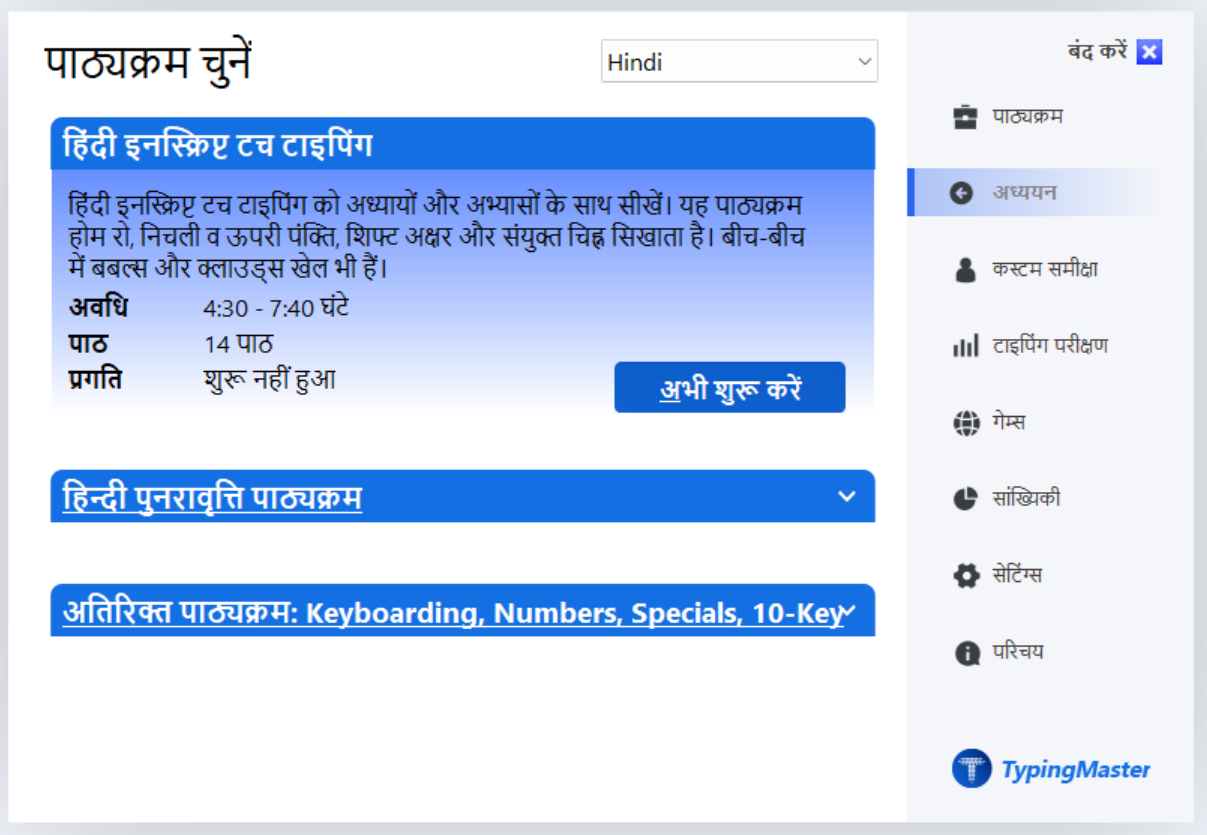
TypingMaster 12 में हिन्दी InScript टाइपिंग के लिए नया अध्याय-आधारित पाठ्यक्रम।
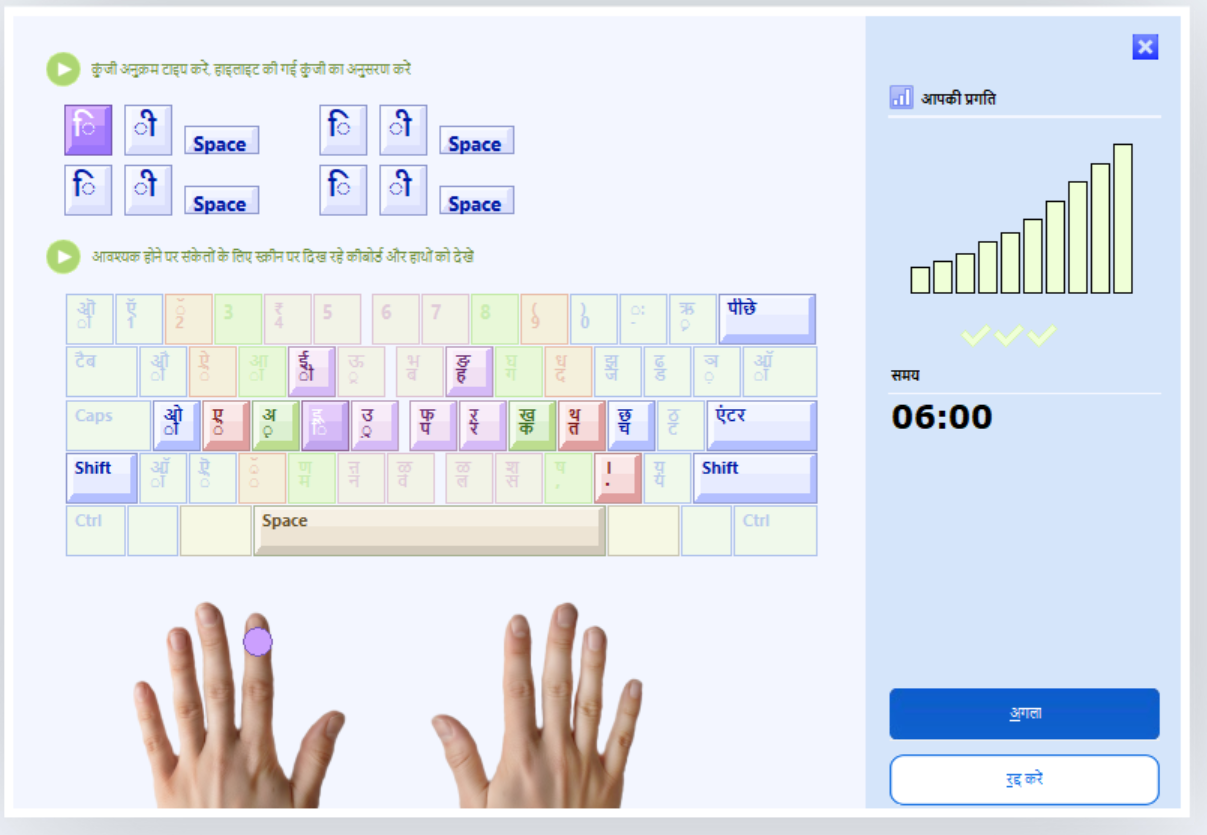
TypingMaster 12 अब पहले से अधिक परिष्कृत, तेज़ और हिन्दी के लिए अधिक अनुकूल है।
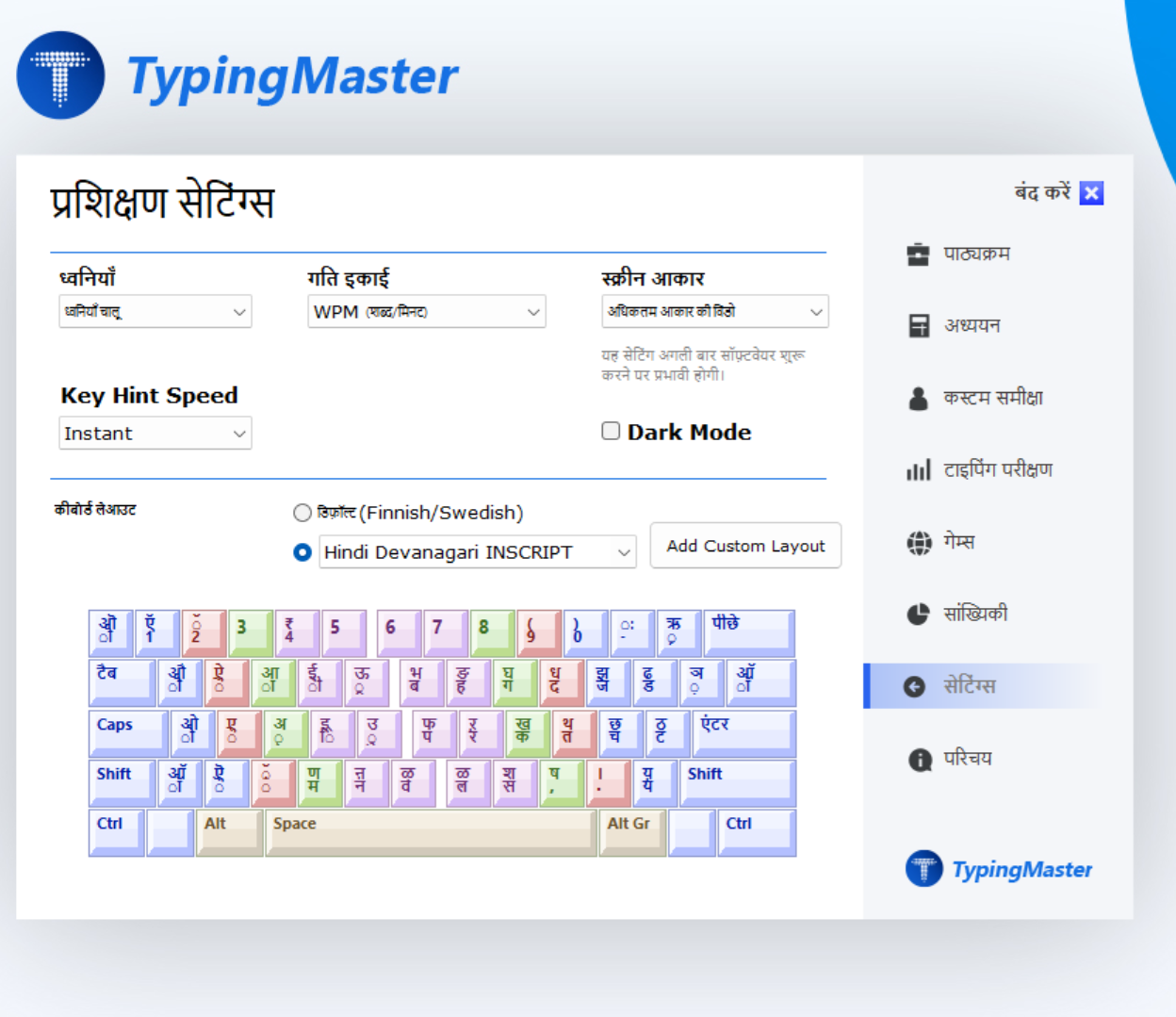
अपने टाइपिंग अनुभव और कीबोर्ड लेआउट को अपनी पसंद के अनुसार अनुकूलित करें।
Whether you search for India typing tutor apk, easy Devanagari typing, hindi typing practice online, Hinglish india writing tools, or fast typing in hindi - TypingMaster is built for you.
People searching for hindi typing online want convenient practice. TypingMaster 12 is a powerful Windows desktop solution with saved progress, guided courses, and dedicated keyboard training.
To teach easy hindi typing, TypingMaster uses lesson-based progression and gradual skill-building. Ideal for beginners who want a clear, structured training path from zero to exam-ready.
For Devanagari keyboard needs, TypingMaster includes wide keyboard layout support, visual key guidance, and custom keyboard options to help you build muscle memory for Hindi input.
A hindi typing chart shows InScript key positions. TypingMaster's on-screen keyboard displays the Hindi chart during every lesson, reinforcing correct finger placement through practice.
The best hindi typing mangal test tracks WPM, accuracy, and error patterns. TypingMaster 12 goes further - configurable pass limits, custom text, and a printable certificate.
For hindi devanagari typing, TypingMaster provides a complete learning path with lessons, repetition exercises, games, and performance tracking - beginners to advanced.
यदि आप हिंदी टाइपिंग सॉफ़्टवेयर, InScript टाइपिंग कोर्स, या TypingMaster 12 के बारे में जानकारी खोज रहे हैं, ये उत्तर आपकी मदद करेंगे।
TypingMaster download karein, Windows mein Hindi InScript keyboard enable karein (Settings → Language → Hindi → InScript), aur phir chapter-based free hindi typing lessons se start karein. Beginners ke liye home row se shuru hota hai.
हाँ। 7-दिन का मुफ्त ट्रायल उपलब्ध है जिसमें सभी फीचर शामिल हैं। 7 दिन के बाद कुछ फीचर सीमित हो जाते हैं। विकासशील देशों के लिए मुफ्त charity लाइसेंस भी उपलब्ध हैं।
हाँ। TypingMaster 12 Windows 11, 10, 8 और 7 पर काम करता है। यह हिन्दी सहित कई कीबोर्ड लेआउट का समर्थन करता है।
For most government jobs, 25-30 WPM Hindi is the minimum. SSC CHSL requires 30 WPM Hindi, RRB requires 25 WPM. TypingMaster lets you practice exactly at these speeds with configurable pass limits so you know when you're exam-ready.
InScript (Unicode) is commonly accepted in SSC and many state boards. Some Railway/RRB exams may still expect Remington/Kruti Dev. Always verify your exam notification for the exact keyboard allowed.
SSC CHSL (LDC/JSA) and most RRB typing tests are 10 minutes. DEO-style data entry tests are 15 minutes, measured in key depressions per hour (KDPH).
हाँ। TypingMaster 12 Premium में SSC CHSL Hindi (30 WPM, 10 min) और English (35 WPM, 10 min) के लिए परीक्षा-शैली टेस्ट कॉन्फ़िगर किए जा सकते हैं।
Yes. TypingMaster 12 supports multilingual typing paragraph practice including English QWERTY and Hindi paragraphs. You can switch layouts with Win+Space and practice both in the same test text.
Start free hindi typing lessons today · Hindi typing seekhna hai? TypingMaster se shuru karein!
हिंदी टाइपिंग सॉफ्टवेयर - मुफ्त डाउनलोड करें
Windows 11/10/8/7 · 12 MB Installer · 7-day free trial · No credit card
Trusted by 7 Million users per year · 4.4 ★ · 2,731 reviews